Map
Follow the aircraft, route, zones, hazards, detections, and mission marks in spatial context.
A field-ready replacement for QGroundControl and Mission Planner that unifies planning, live aircraft control, telemetry, video, and edge-AI detections in one mission-native surface.
Follow the operator loopArc-UI replaces the fragmented ground-control workflow with one field interface for intent, routes, live aircraft state, detections, and contingencies. It is designed for phone, tablet, and desktop operation in daylight, low light, and degraded networks.
Voice, map gesture, or direct control
Geofence, route, and vehicle checks
Safe mission actions over MAVLink
Telemetry, video, and detections
Hold, return, redirect, or halt
Configuration note / Multi-vehicle, swarm, and bearer options are delivered according to the connected Arc system and program configuration.
Arc-UI keeps the operator’s intent, aircraft state, mission geometry, and sensor findings connected from briefing through recovery. High-level behaviors remain with the deployed flight stack; the interface makes them visible, deliberate, and controllable.
Create the operation around what the team needs to accomplish—not around a stack of vehicle menus.
Load the operation, confirm the action, and follow live progress from map, split, or stream view.
See the aircraft, feed, route, and target-aware detections in the same operating picture.
Review confidence, time, source, and location before redirecting the aircraft or changing the mission state.
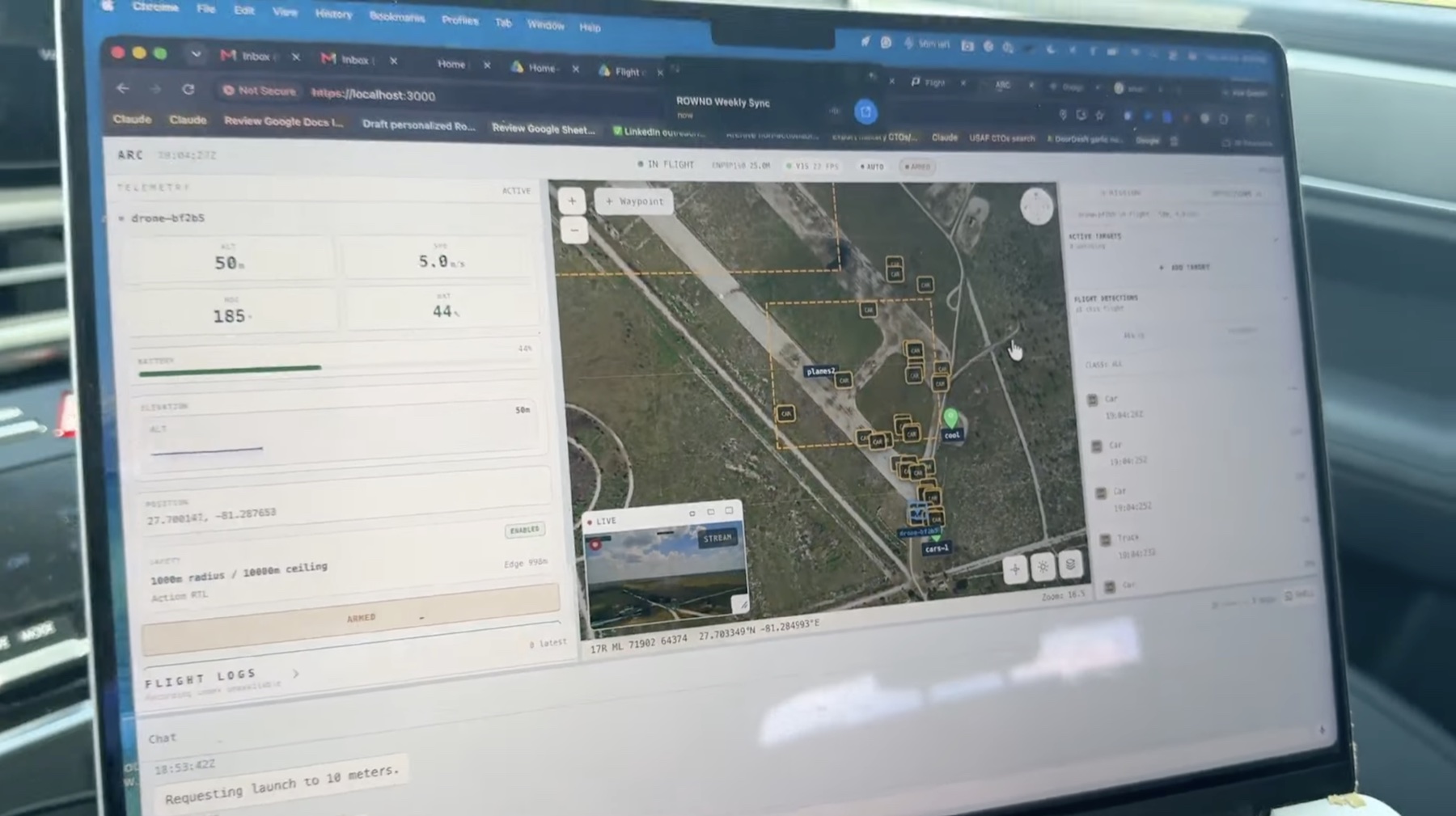
Switch between spatial awareness and sensor detail without leaving the mission. Arc-UI preserves the same route, telemetry, target, and safety context across every view.
Follow the aircraft, route, zones, hazards, detections, and mission marks in spatial context.
Keep the live feed beside the map and resize the working surface around the task.
Bring video forward while retaining telemetry, map context, and target-aware overlays.
Package routes, waypoints, zones, hazards, targets, and planned guardrails into the operation. Review it as one mission artifact, then load the same context into the live operator view.
Arc-UI operates through the connected Arc communications stack. Programs can integrate the operator layer over selected mesh, LTE / 5G, and SATCOM bearers without changing the mission workflow.
Bearer availability, selection, and failover behavior depend on deployed hardware and program configuration.
Mission intent, aircraft state, video, and detections.
Multi-vehicle and swarm command-and-control functions are delivered according to the connected Arc system, authority model, and program configuration.
Arc-UI is configured around the vehicle, payload, communications plan, and mission authority selected for the deployment.
Responsive layouts for desktop, tablet, and one-handed field use.
Current supported deployments; vehicle and payload fit are confirmed per program.
High-level operator intent is handed to the connected Arc flight stack.
Telemetry and detection output can be enabled for configured deployments.
Arc-UI is built around deliberate operator actions and aircraft-reported truth. It helps the operator understand what is connected, what is happening, and what the system accepted.
Arc-UI follows aircraft-reported state and command acknowledgements instead of assuming an action succeeded.
Flight-critical actions use visible gates, confirmations, and clear readback before the operator moves on.
The operator can hold, return, redirect, land, or take deliberate manual control when the mission requires it.
Offline map caching and on-device speech recognition reduce dependence on cloud reachback in the field.
Powered by Rownd
